
User Management
About 2 min
User Management
Synchronized Device Documentation
This page corresponds to the synchronized Chinese source. Commands, JSON examples, API paths, field names, and screenshots are kept aligned with the Chinese device-side source documentation.
What This Page Covers
- Web console page purpose and related device-side configuration model.
- Available fields, operational workflow, and safety checks.
- Validation steps, logs, and maintenance recommendations.
Source Reference
The detailed operational source is preserved below so implementation details stay exact while the English navigation, titles, and reading path remain available.
用户管理
概述: 用户管理模块负责 Web 界面的认证授权,支持 Session/Cookie 认证、多用户管理和 3 级角色权限(admin/operator/viewer)。slim 版使用单管理员模式,full 版支持多用户。所有配置存储在
/config/users.json和/config/roles.json中。
功能说明
用户管理功能用于管理 Web 界面的登录账户,支持添加用户、修改密码和删除用户。设备支持多用户登录,每个用户可分配不同权限角色。
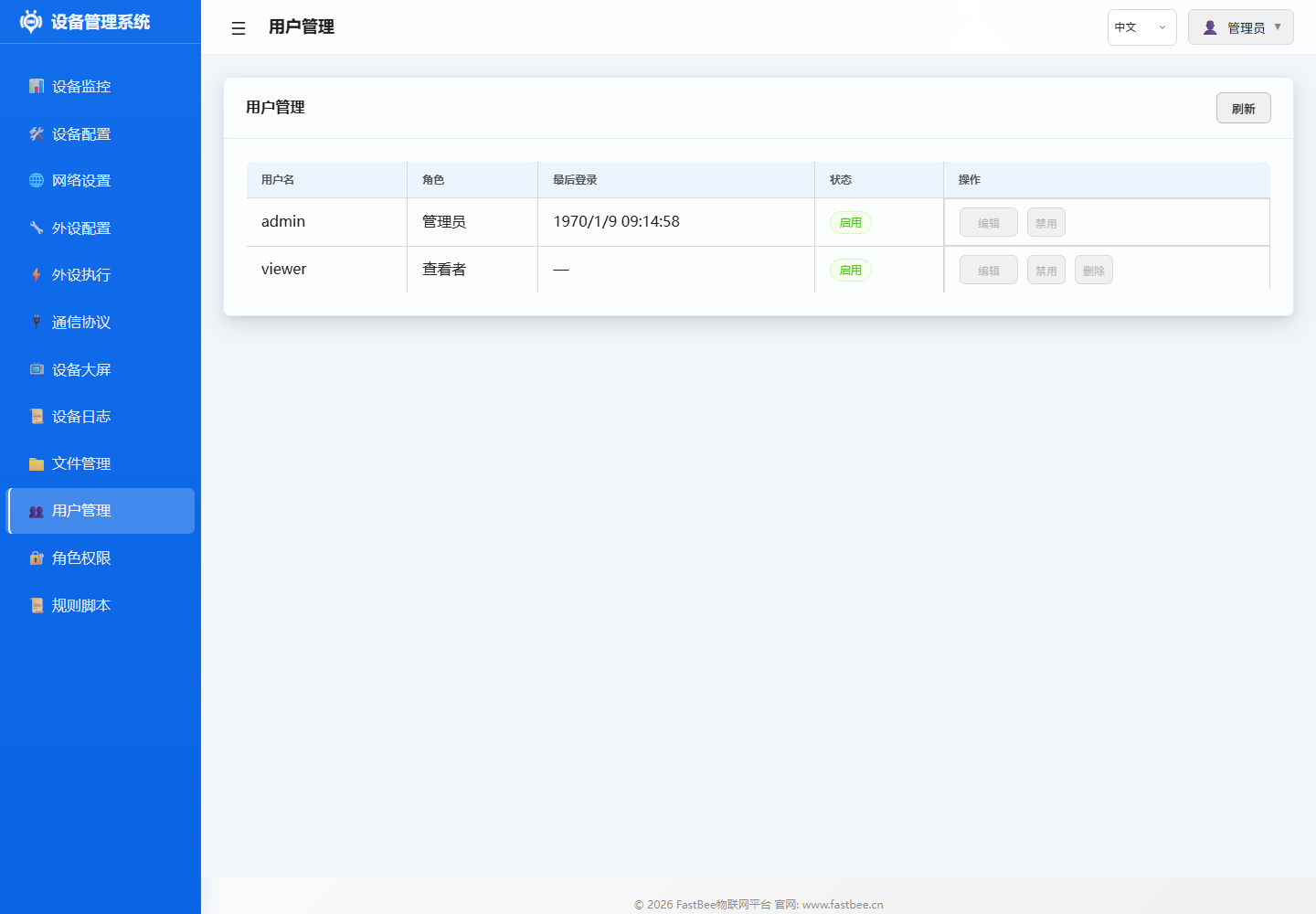
全功能版可为现场维护、操作和值守人员分别创建账户;精简部署通常保留单管理员账户,并重点修改默认密码。
操作指南
修改密码
- 进入 用户管理 页面
- 选择目标用户
- 输入新密码并确认
- 保存更改
添加用户
- 点击 添加用户
- 输入用户名和密码
- 分配角色
- 保存
参数说明
| 字段 | 说明 | 限制 |
|---|---|---|
| 用户名 | 登录账号 | 3-16字符,字母数字 |
| 密码 | 登录密码 | 6-32字符 |
| 角色 | 权限角色 | admin/operator/viewer |
默认账户
| 用户名 | 密码 | 角色 |
|---|---|---|
| admin | admin | 管理员 |
首次部署后强烈建议修改默认密码。
配置示例
典型多用户配置:
- admin:管理员,拥有所有权限
- operator:操作员,可控制外设但不能修改配置
- viewer:观察者,只读权限
故障排除
| 问题 | 可能原因 | 解决方案 |
|---|---|---|
| 忘记密码 | 无法登录 | 重刷固件或通过串口重置 |
| 无法添加用户 | 达到用户数上限 | 删除不需要的用户 |
| 登录失败 | 密码错误/Cookie过期 | 清除浏览器缓存重试 |