
Dashboard
Dashboard
Overview: The device dashboard is the homepage of the Web management interface, providing an overview of device status including memory usage, WiFi connection status, system uptime, sensor data and other core metrics. Both Lite and Full editions are supported; the Full edition additionally displays log summaries and user information. Access: All roles can view.
Overview
The device dashboard is the homepage of the FastBee Web management interface, providing real-time overview of device status including system information, network status, memory usage, peripheral status and other key metrics.
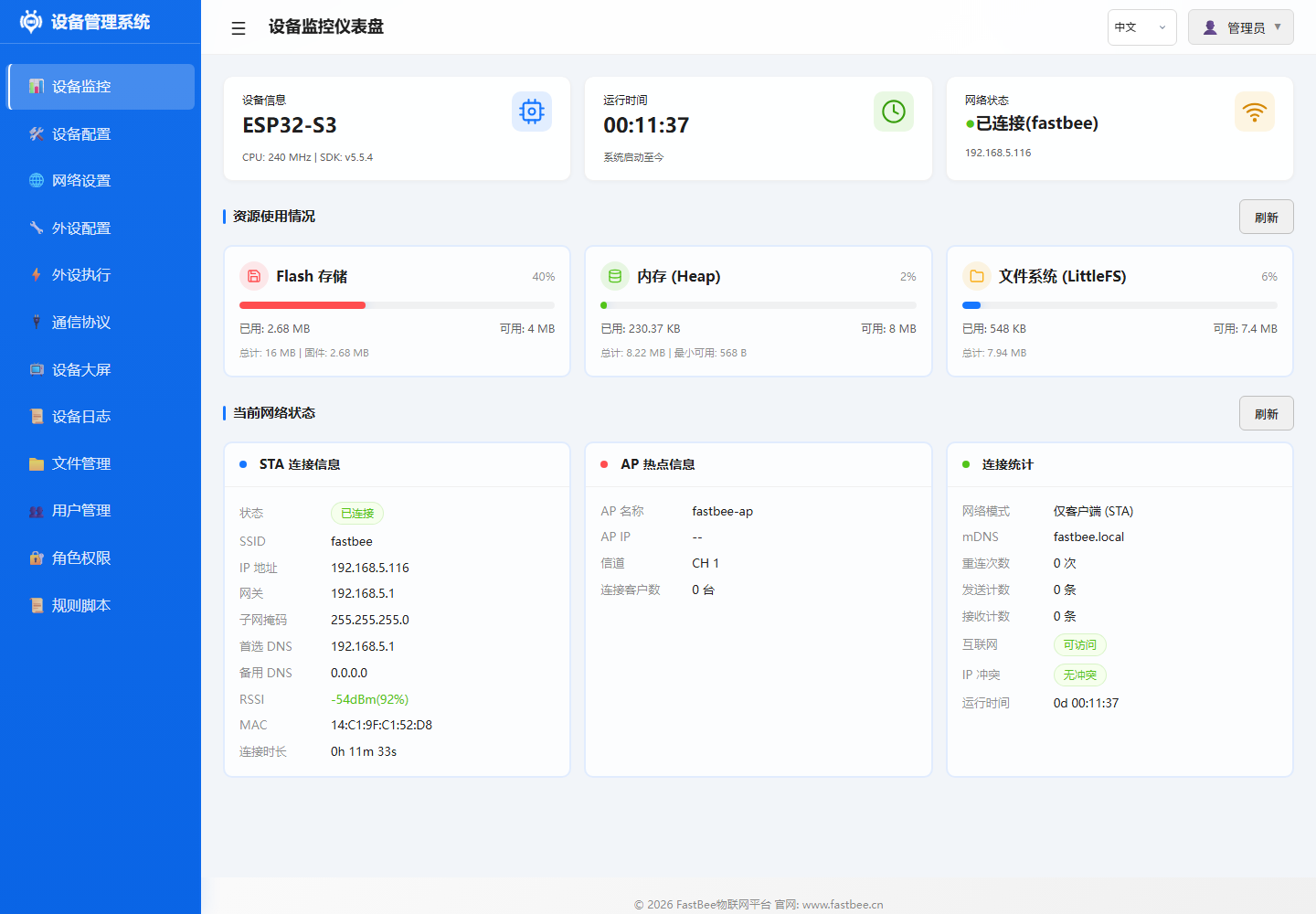
After accessing the system, check the dashboard first: the network status shows the current IP and signal strength, and the resource area shows heap memory, Flash, PSRAM and other available capacity, which helps determine whether the device has started stably.
Usage
- Access
http://device-IPorhttp://fastbee.localin browser - Automatically enter the dashboard page after login
- Page automatically refreshes status data periodically
Parameters
System Information
| Metric | Description |
|---|---|
| Device Name | Configured name of the current device |
| Firmware Version | Currently running firmware version |
| Chip Model | ESP32 / ESP32-S3 |
| Flash Size | Internal Flash storage capacity |
| CPU Frequency | Processor clock frequency (240MHz) |
Runtime Status
| Metric | Description |
|---|---|
| Uptime | Running time since last boot |
| Available Memory | Current remaining heap memory (bytes) |
| Max Free Block | Maximum allocatable contiguous memory block |
| WiFi Signal | Current WiFi RSSI signal strength (dBm) |
| IP Address | Currently assigned network IP |
| MQTT Status | Connection status with server |
Peripheral Overview
| Metric | Description |
|---|---|
| Configured Peripherals | Total peripherals in peripherals.json |
| Enabled Peripherals | Number of peripherals with enabled=true |
| Execution Rules | Total rules in periph_exec.json |
| Active Rules | Number of rules with enabled=true |
Configuration
The dashboard is a read-only display page, no additional configuration required. Data is automatically collected from the system.
Troubleshooting
| Issue | Possible Cause | Solution |
|---|---|---|
| Page inaccessible | WiFi not connected | Check network configuration or use AP mode |
| Data not updating | WebSocket disconnected | Refresh page to reconnect |
| Memory continuously decreasing | Memory leak | Check peripheral configuration, reduce enabled count |
| MQTT offline | Server unreachable | Check MQTT configuration and network connectivity |