
Role Management
About 2 min
Role Management
Synchronized Device Documentation
This page corresponds to the synchronized Chinese source. Commands, JSON examples, API paths, field names, and screenshots are kept aligned with the Chinese device-side source documentation.
What This Page Covers
- Web console page purpose and related device-side configuration model.
- Available fields, operational workflow, and safety checks.
- Validation steps, logs, and maintenance recommendations.
Source Reference
The detailed operational source is preserved below so implementation details stay exact while the English navigation, titles, and reading path remain available.
角色管理
概述: 角色管理定义了 3 级权限体系(admin/operator/viewer),通过角色分配控制用户对系统功能的访问级别。admin 拥有所有权限,operator 可控制外设但不能修改配置,viewer 仅查看。配置存储在
/config/roles.json中,仅 full 版支持多角色。
功能说明
角色管理定义了不同用户的权限范围,通过角色分配控制用户对系统功能的访问级别。
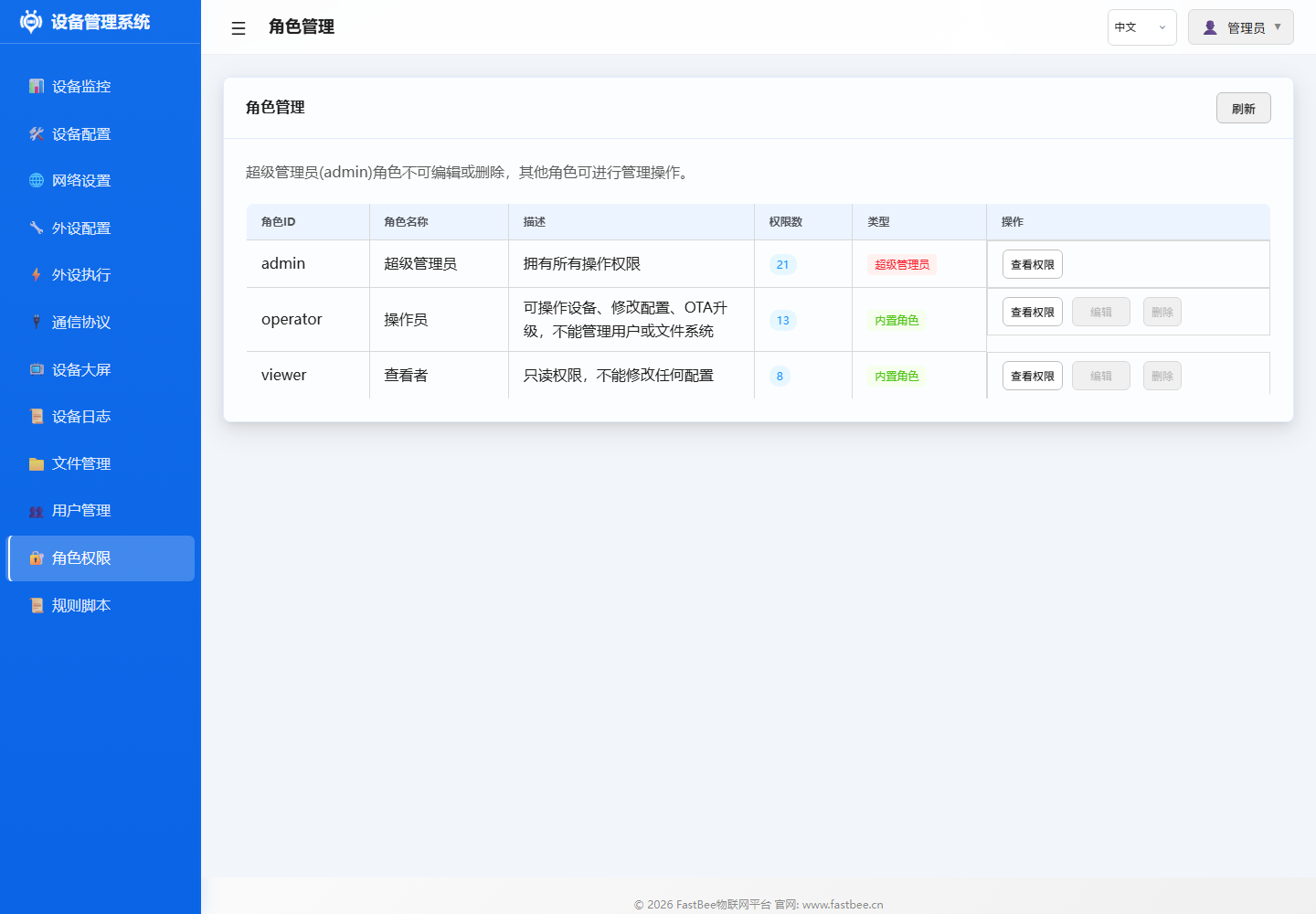
角色配置建议按“谁能修改配置、谁只能操作、谁只读查看”划分,避免普通值守账户误改网络或外设参数。
操作指南
- 进入 角色管理 页面
- 查看/编辑现有角色权限
- 将角色分配给用户
参数说明
预定义角色
| 角色 | 说明 | 权限范围 |
|---|---|---|
| admin | 管理员 | 所有功能的完整权限 |
| operator | 操作员 | 外设控制、规则管理,不能修改系统配置 |
| viewer | 观察者 | 仅查看仪表台和日志,不能执行任何操作 |
权限矩阵
| 功能 | admin | operator | viewer |
|---|---|---|---|
| 仪表台查看 | ✅ | ✅ | ✅ |
| 外设控制 | ✅ | ✅ | ❌ |
| 外设配置修改 | ✅ | ❌ | ❌ |
| 执行规则管理 | ✅ | ✅ | ❌ |
| 网络配置 | ✅ | ❌ | ❌ |
| MQTT 配置 | ✅ | ❌ | ❌ |
| 文件管理 | ✅ | ❌ | ❌ |
| 用户管理 | ✅ | ❌ | ❌ |
| 设备重启 | ✅ | ✅ | ❌ |
| 固件更新 | ✅ | ❌ | ❌ |
配置示例
典型部署场景:
- 开发调试:使用 admin 账户进行全功能配置
- 现场运维:使用 operator 账户进行日常操控
- 远程监控:使用 viewer 账户查看设备状态
故障排除
| 问题 | 可能原因 | 解决方案 |
|---|---|---|
| 操作被拒绝 | 权限不足 | 使用更高权限账户或联系管理员 |
| 无法修改角色 | 非 admin 用户 | 使用 admin 账户操作 |
| admin 被锁 | 密码遗忘 | 串口恢复或重刷固件 |